OANDA Sign Up: A Clear, Step-by-Step Guide to Opening an Account
Learn how to complete the OANDA sign up process with a clear, step-by-step walkthrough. Understand eligibility, verification, account options, funding, platform setup, and common FAQs-without hype or guesswork.
Getting your trading journey started often begins with a straightforward, compliant account opening. If you are considering the OANDA sign up process, this guide explains what to expect from start to finish-eligibility, verification, account configuration, risk considerations, and practical tips to help you complete registration smoothly. You will also find a concise FAQ to clarify common questions before you begin.
What to Know Before You Start
Creating a trading account involves more than entering a username and password. Reputable brokers use verification to meet regulatory obligations and help safeguard accounts. Before you begin, make sure you have the following at hand:
- Personal details that match your official identification (full legal name, date of birth, and contact information).
- Government-issued photo ID (for identity verification, such as a passport or national ID).
- Proof of address (for example, a recent utility bill or bank statement that clearly shows your full name and residential address).
- Basic financial background information (employment status, source of funds, and trading experience as applicable).
It is important to ensure that any information you submit is accurate and up to date. Inconsistent or incomplete information can delay the OANDA sign up process and any subsequent approvals.
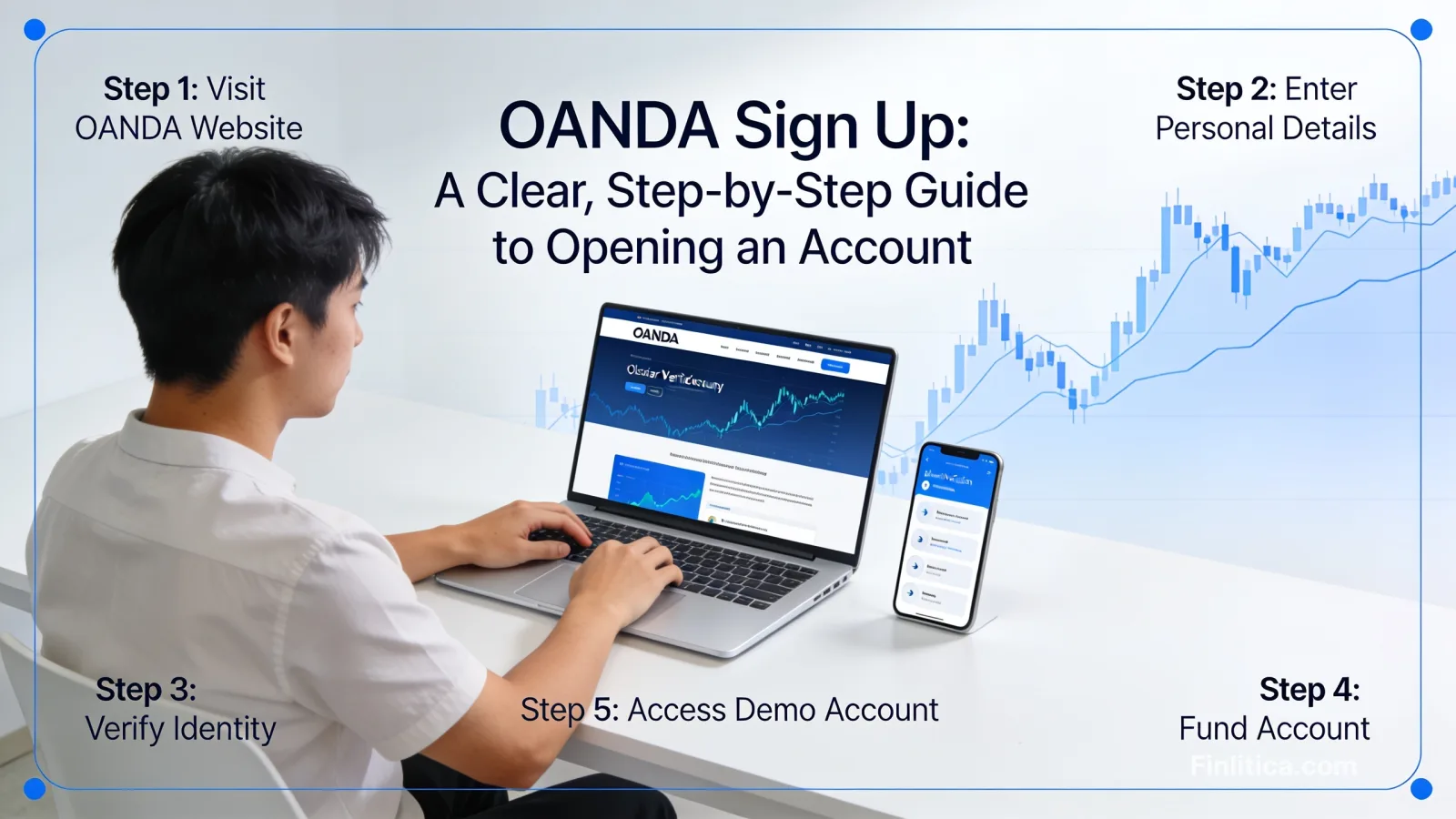
Step-by-Step: OANDA Sign Up and Account Creation
1) Start Your Application
Begin by initiating a new account application and selecting your country or region of residence. The availability of products and account features may vary by jurisdiction. Be prepared to provide a valid email address, create secure login credentials, and accept the relevant disclosures and terms.
2) Enter Personal and Contact Information
Provide your legal name, date of birth, phone number, and residential address. Ensure these details match the documents you will upload later for verification. Accuracy at this stage helps reduce back-and-forth during review.
3) Complete Regulatory and Suitability Questions
Expect questions about your employment status, financial situation, and prior trading experience. These help the broker meet obligations such as assessing appropriateness for certain products. Answer honestly and thoroughly.
4) Verify Your Identity (KYC)
Identity verification typically involves submitting a government-issued photo ID and a recent proof of address. Legibility matters: check that your documents are not expired and that all edges, dates, and names are clearly visible. If requested, you may be asked to complete a live photo or liveness check to confirm that you are the person on the documents.
5) Review and Submit
Before final submission, review each section to confirm everything is correct. After you submit, your application enters review. Processing times vary depending on document quality and volume of applications. You will be notified if additional information is required.
Account Types, Currencies, and Platform Options
During or after OANDA sign up, you can typically choose between a live account for real-money trading and a demo account designed for practice. Consider the following:
- Demo account: Useful for exploring the platform, placing test trades, and learning order types without risking real funds.
- Live account: Suitable once you understand the platform, risks, and your own plan for position sizing and risk controls.
- Base currency: Select a base currency that aligns with your funding source and reporting preferences to simplify deposits, withdrawals, and statements.
- Platform access: Web, desktop, and mobile interfaces are commonly available. Choose the platform that best fits your workflow, charting needs, and device preferences.
If you are unsure whether to start with a live or demo account, consider beginning with a demo. It lets you explore platform tools and test strategies in a simulated environment before committing live capital.
Funding, Withdrawals, and Account Security
Funding Methods
Once your account is approved, you can choose from available deposit methods based on your region. Each funding method may have different processing times and limits. Always deposit from an account in your own name to help ensure compliance and smooth processing.
Withdrawals
Withdrawals generally must go back to a verified source in your name. Processing times vary depending on the method used and your location. Keeping your profile details up to date and using consistent funding sources can help reduce delays.
Account Security Best Practices
- Enable two-factor authentication (2FA) to add a layer of protection to your login.
- Create a strong, unique password and update it periodically.
- Secure your devices and avoid accessing your account on public or unsecured networks.
- Review account notifications and statements to monitor for unusual activity.
Understanding Risks and Responsible Use
Leveraged products such as forex and certain derivatives carry a high level of risk and are not suitable for everyone. Before funding a live account, carefully consider your objectives, experience, and risk tolerance. Avoid over-leveraging, and ensure you understand margin requirements, potential for rapid losses, and how stop orders and position sizing work. A methodical approach and disciplined risk management can help you navigate volatility more thoughtfully.
Common Questions About OANDA Sign Up
How long does verification take?
Verification timelines vary. Accurate, legible documents typically help speed up review. If additional documents are requested, respond promptly to avoid delays.
Do I need to deposit immediately after approval?
No. You can often explore platform features and settings before making your first deposit. Many traders start with a demo account to become familiar with tools and order types.
Which documents are acceptable for identity and address verification?
Commonly accepted documents include a valid government-issued photo ID and a recent proof of address such as a utility bill or bank statement. Documents must display your full name, match your application details, and be within the acceptable date range.
Can I change my base currency later?
Changing a base currency may require opening a new account profile or sub-account in the desired currency, subject to availability and regional rules. Check your account settings for supported options.
Is there a minimum deposit?
Deposit requirements vary by region and account configuration. Review your account area for current options and any applicable thresholds before funding.
What if my application is declined?
If your application is not approved, you may be able to reapply after addressing the reasons stated in the notification. Ensuring your information is accurate and documentation is clear can improve your chances on resubmission.
Can I open more than one account?
Multiple account profiles or sub-accounts may be available depending on your region and account type. This can be useful for testing different strategies or base currencies. Review your account dashboard for available configurations.
Will signing up affect my credit score?
Brokers typically perform identity and compliance checks that are not the same as applying for consumer credit. If you are concerned about potential impacts, consider checking your region-specific policies and disclosures during the application.
Tips for a Smooth Application
- Double-check personal details for accuracy before submitting.
- Ensure documents are valid, unobstructed, and clearly legible.
- Respond quickly to any requests for additional information.
- Use a stable internet connection when uploading documents to prevent file errors.
- Start with a demo account if you are new to the platform or refining your approach.
Setting Up Your Platform and Preferences
After completing OANDA sign up and verification, take time to configure the platform to your workflow:
- Watchlists and instruments: Add currency pairs or markets you plan to monitor.
- Chart layouts: Save preferred timeframes, indicators, and drawing tools.
- Order presets: Configure default trade sizes, stop-loss/take-profit parameters, and confirmations.
- Notifications: Enable price alerts and account notifications to stay informed without staying glued to the screen.
- Reports: Familiarize yourself with statements, trade history, and performance summaries for ongoing review.
Conclusion
Completing the OANDA sign up process is primarily about accuracy, verification readiness, and thoughtful preparation. By gathering your documentation, answering suitability questions carefully, and setting up preferences that match your approach, you can move from application to platform setup with clarity and confidence. Consider practicing in a demo environment first, and always keep risk management front and center as you develop your trading plan.